


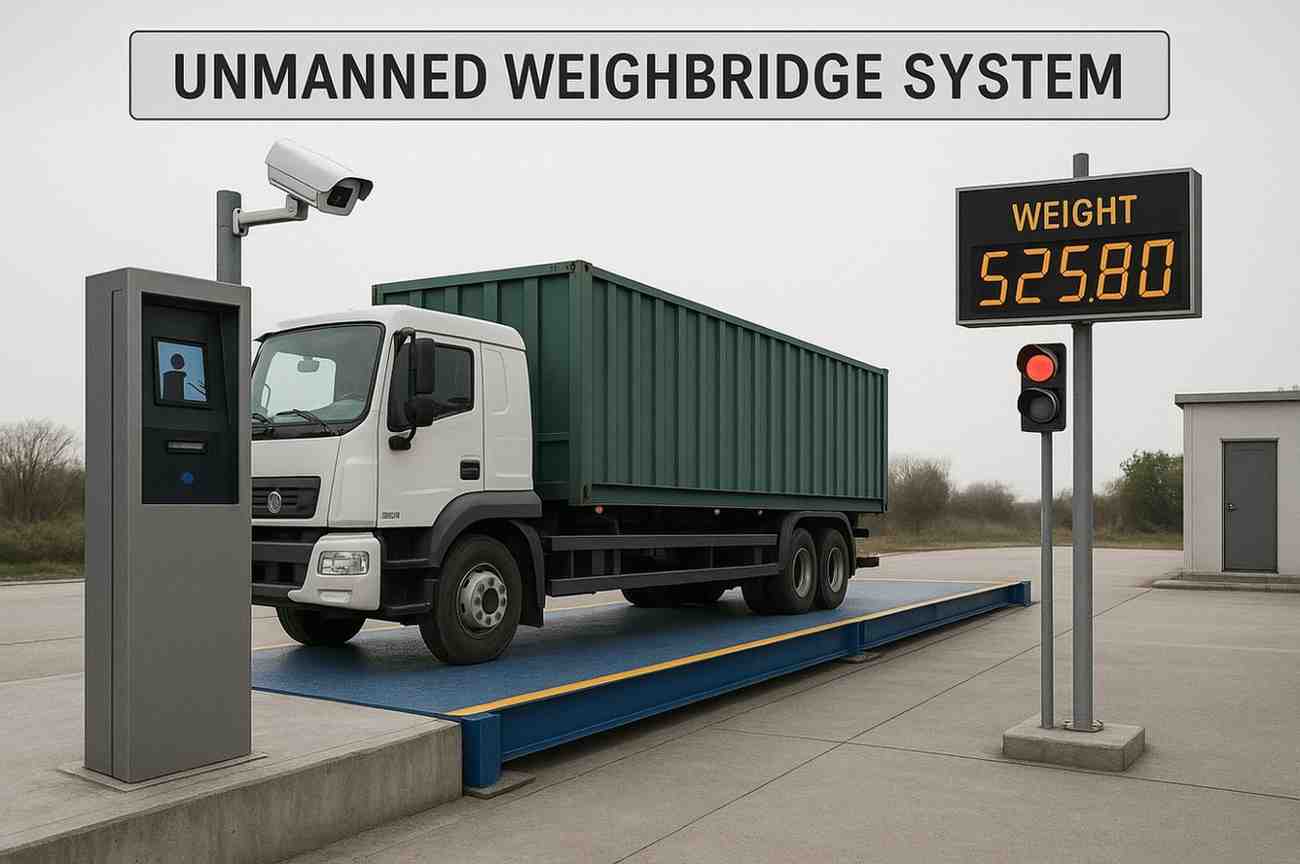

A weighbridge can only give an accurate weight if the whole truck is on the platform and standing still. When a wheel is off the deck, or the driver moves too early, the reading is wrong and the loss repeats with every trip. This guide explains how position sensors, traffic lights and LED displays guide drivers to the right spot on an automated weighbridge.
Key takeaways
- Poor truck placement is a common cause of short or inaccurate weights.
- Position sensors at both ends confirm the vehicle is fully on the platform.
- Traffic lights and LED displays tell the driver when to move, stop and leave.
- The software captures the weight only when sensors, identification and a stable reading all agree.
Why truck positioning affects weighing accuracy
If part of a wheel rests on the approach ramp, part of the load is not measured. If the truck rolls while the weight is captured, the reading is unstable. On a busy site these small errors add up across hundreds of trips, and they can also be used deliberately to under-declare or over-declare a load.
- Wheels outside the platform at the entry or exit end
- Trailers longer than the platform, so axles hang off
- Weight taken while the vehicle is still moving
- A second vehicle or person on the platform during weighing
Position sensors: confirming the truck is on the deck

Position sensors are usually infrared beam or laser sensors mounted at the entry and exit ends of the platform. If either beam is broken, part of the vehicle is outside the weighing area. The software blocks the weighment and the display asks the driver to move forward or back.
| Sensor type | Typical use |
|---|---|
| Infrared beam pair | Simple, low-cost check at each end of the platform |
| Laser or radar sensor | Longer range and better for dusty or bright sites |
| Camera-based check | Image confirms wheel position and adds evidence to the record |
Traffic lights and LED displays: guiding the driver

Traffic lights control the flow: green to enter, red to stop and wait, green again to leave once the weight is saved. A large LED display shows simple messages such as Move forward, Stop, Weighing or Done, and can show the captured weight. Some sites add a loudspeaker for spoken instructions.
How the weighing sequence uses these devices
- Identify. RFID or ANPR identifies the truck and the trip before the barrier opens.
- Guide. The light turns green and the display tells the driver to drive on.
- Check position. Both end sensors must be clear before weighing starts.
- Capture. The software waits for a stable weight, takes camera images and saves the record.
- Release. The exit light turns green and the barrier opens.
These checks are part of every unmanned weighbridge system. For other ways automation protects the weighing process, read about weighbridge fraud prevention.
Calibration note: automation does not replace legal metrology. The weighbridge, load cells and indicator must still be calibrated, stamped and verified at the intervals required by the Legal Metrology authorities, and after any repair or relocation.
Truck positioning on weighbridges: common questions
What is a weighbridge position sensor?
A sensor at the end of the platform that detects whether any part of the vehicle is outside the weighing area.
Can position sensors be added to an old weighbridge?
Yes. They are mounted beside the platform and connected to the weighbridge software or controller.
What happens if the truck is not positioned correctly?
The software blocks the weighment and the display asks the driver to adjust until both sensors are clear.
Do lights and displays work without an operator?
Yes. They are controlled by the software, so the driver is guided automatically.
Talk to our weighbridge team
Tell us about your weighbridge and vehicle types, and we will suggest the right sensors and guidance devices.





