


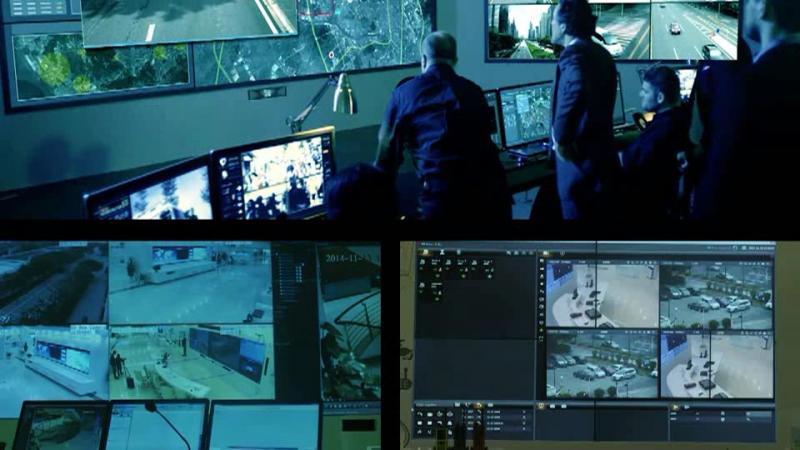

A camera that only records shows you what happened after the fact. Intelligent video surveillance (IVS) analyses the video as it arrives and raises an alert when something unusual happens, such as a person loitering, someone crossing a restricted line or a vehicle entering a closed area. This guide explains the main alert types, how to keep false alarms down and how teams should respond.
Key takeaways
- IVS alerts are triggered by rules on behaviour, not just by motion.
- Common alerts include loitering, intrusion, perimeter breach, abandoned objects and crowd build-up.
- Good rules and camera placement reduce false alarms.
- An alert only helps if it reaches the right person with a clear response plan.
The main alert types in intelligent video surveillance
| Alert | What it detects | Where it helps |
|---|---|---|
| Loitering | A person staying in an area longer than a set time | Entrances, warehouses, car parks |
| Intrusion | Someone entering a restricted zone | Perimeters, control rooms, yards |
| Line crossing | An object crossing a virtual line | Fences, gates, restricted doors |
| Abandoned object | An item left in place for a set time | Terminals, stations, public areas |
| Crowd build-up | Many people gathering in one area | Gates, events, shift changes |
How behaviour analysis decides what is unusual
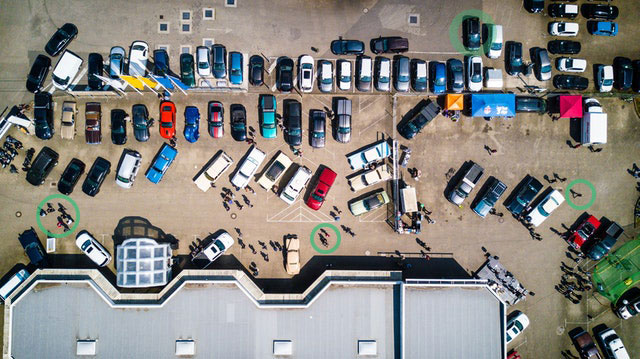
The software tracks objects frame by frame and compares their movement with rules the site has set. A person walking through a corridor is normal; the same person stopping at a fence for several minutes may not be. Because the rule uses time, place and direction, it is more specific than basic motion detection, which reacts to anything that moves.
Keeping false alarms under control
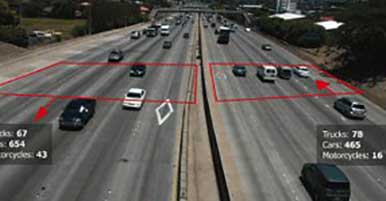
Too many false alarms train staff to ignore the system. To keep them low, mark only the areas that matter, set realistic time limits, and place cameras where lighting is steady and views are clear. Review the alerts for the first few weeks and adjust the rules. For how analytics compare with older cameras, see intelligent video surveillance vs CCTV.
Turning an alert into a response
- Send it to the right person. Route alerts by site, shift and type.
- Show a clip, not just a message. Operators need to see what triggered it.
- Define the action. Decide who checks, who is called and what is logged.
- Review afterwards. Use the record to refine rules and training.
Privacy and responsible use of video analytics
Video can show people, so sites should tell staff and visitors that cameras are in use, limit who can view footage and keep recordings only as long as needed. Written policies and access logs help show that the system is used responsibly.
Intelligent video surveillance by Suraj Informatics
Suraj Informatics provides intelligent video surveillance for plants, ports, warehouses and public sites. See how it is used across sectors in intelligent video surveillance applications by industry.
Video surveillance alerts: common questions
What is an intelligent video surveillance alert?
It is a notification raised automatically when the analytics software sees behaviour that matches a rule, such as loitering or a restricted-area entry.
How is this different from motion detection?
Motion detection reacts to any movement. IVS rules also consider time, place and direction, so alerts are more specific.
How do we reduce false alarms?
Define only the zones that matter, use realistic time limits, check camera views and lighting, and review alerts regularly to adjust the rules.
Does IVS replace security staff?
No. It helps staff by pointing them to events that need attention, so they can respond faster.
Talk to our video surveillance team
Tell us about your site and security goals, and we will suggest the right analytics and safeguards.





