



Behind every door that opens with a swipe sits a small chain of hardware. A reader sees the credential, a controller decides, a lock obeys and a power supply keeps it all alive. Knowing what each part does makes it easier to plan an installation and to find faults later.
Key takeaways
- The reader reads the credential but does not decide anything.
- The controller checks the rights and tells the lock what to do.
- Locks, door sensors and exit buttons complete each door.
- Power supply and cabling decide how reliable the system is day to day.
- Software and logs sit on top and need a network link to the controllers.
The four parts of every access door
Most doors follow the same chain, whatever the brand.
| Part | Job |
|---|---|
| Reader | Reads the card, PIN, mobile pass or fingerprint |
| Controller | Compares the credential with stored rights and decides |
| Lock | Releases or holds the door on the controller’s signal |
| Power supply | Feeds readers and locks, often with a battery backup |
Door contacts and exit buttons are added to show whether the door is closed and to let people leave freely.
Choosing readers by door and risk
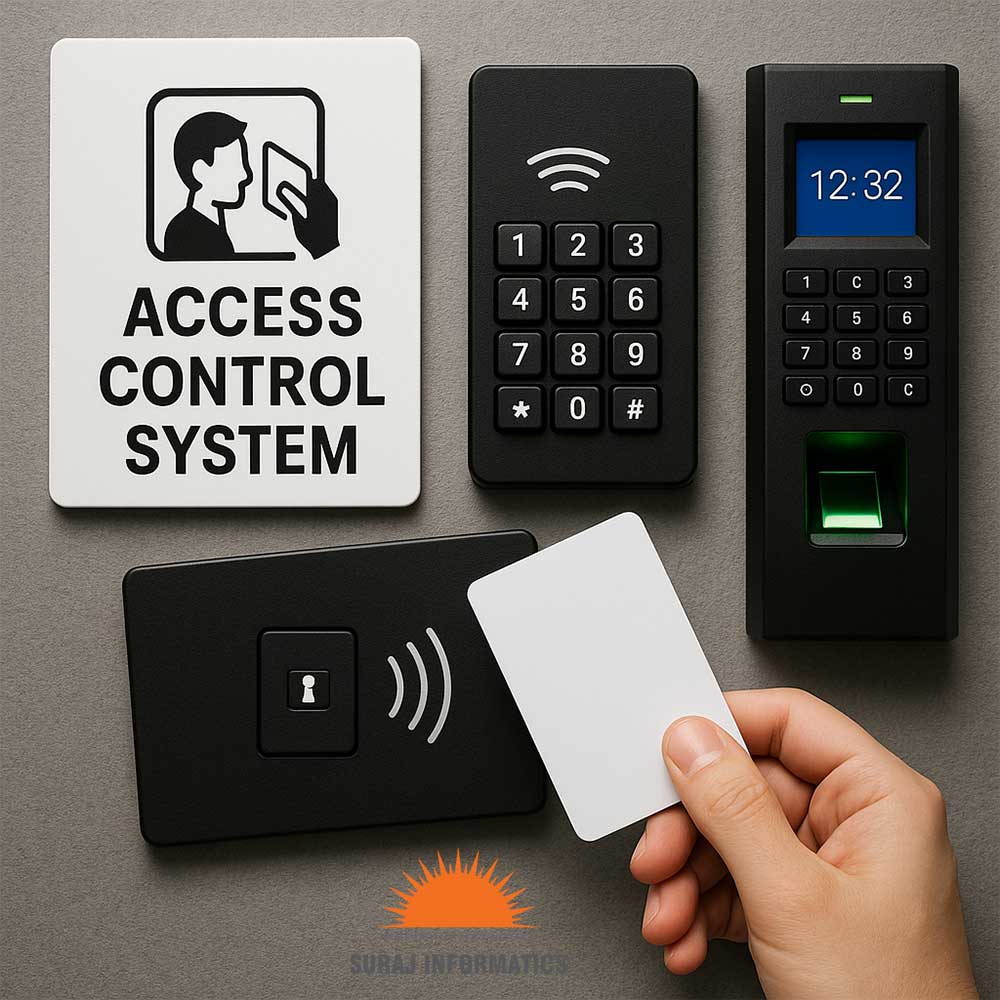
Choose the reader for the door, not the other way round. Card readers suit busy doors, keypads add a second factor and fingerprint readers suit sensitive rooms. Outdoor readers need weather protection and a suitable mounting height. For a view of how credentials differ, read types of access control.
Controllers, cabling and network links
The controller holds the list of who may open which door. Place it on the secure side of the door, in a locked cabinet. Run cables in protected paths and label every run. Controllers should keep working when the network drops, then sync their logs when the link returns. Plan network ports, switches and a secure link to the server as part of the design.
Locks, exit devices and door sensors
Match the lock to the door type: electric strikes for many frame doors, magnetic locks for some glass or metal doors and electric bolts for others. Decide the power-off behaviour of each lock with fire and safety rules in mind. A door contact and a request-to-exit button let the system log forced or held-open doors and avoid false alarms when people leave.

What to check before installing
Walk each door with the installer and note its type, frame, cable path and nearest power point. Confirm the door schedule, the credential type and the number of users. Agree who tests, who signs off and what training staff receive. Keep a list of serial numbers and settings for later support. Our guide to industrial access control shows how doors, gates and visitors fit together.
Planning access control hardware with Suraj Informatics
Suraj Informatics supplies and installs access control hardware and software for plants, warehouses and offices. Send us your door list and we will propose readers, controllers and locks to match.
Access control hardware: common questions
What is the difference between a reader and a controller?
The reader only reads the credential. The controller decides whether to open the door.
Do doors work if the network is down?
Controllers that store rights locally keep working and sync their logs later.
Do all doors need the same reader?
No. Choose each reader by door risk, location and number of users.
Do we need backup power?
Backup power keeps doors working through short outages and is recommended for important doors.
Talk to our access control team
Share your door list and we will suggest readers, controllers and locks for each opening.





