




A smart city command centre brings sensor and camera feeds from different departments into one place, so operators can see events, check them and send the right team. This article explains what the screens show, how an alert becomes an action and what to settle before you build one.
Key takeaways
- A command centre joins feeds that otherwise sit in separate departments.
- Operators need a map, ranked alerts and camera views linked to each event.
- Written rules on who acts on which alert save time during real events.
- Start with two or three services, then add more.
Why sensor feeds need one place to land
A city may have cameras on junctions, sensors on water pipes, streetlight controllers and bus trackers, each reporting to its own screen in its own department. Staff then have to piece events together by phone. A command centre brings the feeds into a shared view so that one team can see what is happening across services.
The aim is not a wall of screens. It is quicker, better-coordinated decisions when something goes wrong or needs attention.

What operators see on the screens
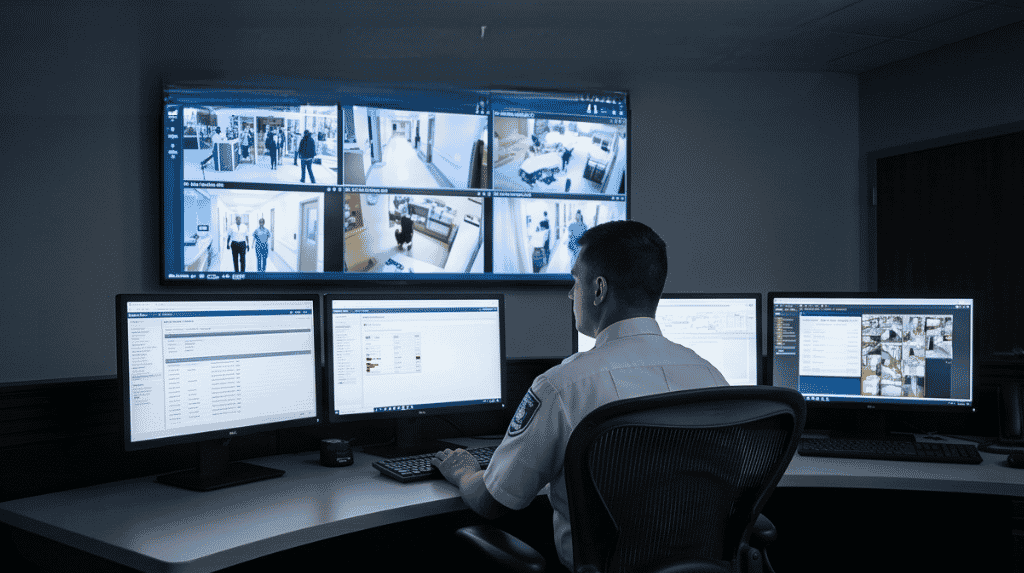
Good command-centre software shows a map with layers that can be switched on and off, a list of active alerts ranked by importance, and live camera views linked to the event that triggered them. Each alert carries a time, a location and a status, so the team can tell what is new and what is being handled.
| Feed | Example use |
|---|---|
| Traffic cameras and signals | Spot a blocked junction and change signal timing |
| Water and drainage sensors | Flag a pressure drop or rising level |
| Streetlight controllers | See which lights have failed |
| Public-safety cameras | Check an incident reported by a citizen |
See smart traffic and parking with IoT for one of the feeds in more detail.
From alert to action: the response routine
When an alert arrives, the operator checks it against a camera view or a second sensor, decides who should act, and sends the task to the right team. The command-centre record then follows the job until it is closed. Clear rules about who may act on which alert, written before go-live, avoid delays and arguments during real events.
What to settle before building one
Decide which services will feed the centre first, and make sure each can share data in an open format. Plan the network, power and backup for the room itself, and agree who staffs it on each shift. Start with two or three services, prove the routine, then add more. Our guide to smart city IoT infrastructure covers the poles, power and networks behind the feeds.
Planning a smart city command centre with Suraj Informatics
Suraj Informatics provides IoT solutions that can feed a command centre with data from sensors, cameras and gates. Share your city services and we will help you choose a first set.
Smart city command centre: common questions
What is a smart city command centre?
A control room where feeds from traffic, utilities and safety systems are shown together so one team can monitor and coordinate response.
Which feeds should come first?
Pick the services with the clearest daily benefit, often traffic and public safety, and prove the routine before adding others.
Does it replace department control rooms?
Not necessarily. Departments often keep their own detailed views while the command centre handles events that cross services.
What does it need to work well?
Reliable networks, open data formats, trained operators and clear rules about who acts on each type of alert.
Talk to our IoT team
Tell us which city services you want to bring into one view, and we will suggest a starting design.





