


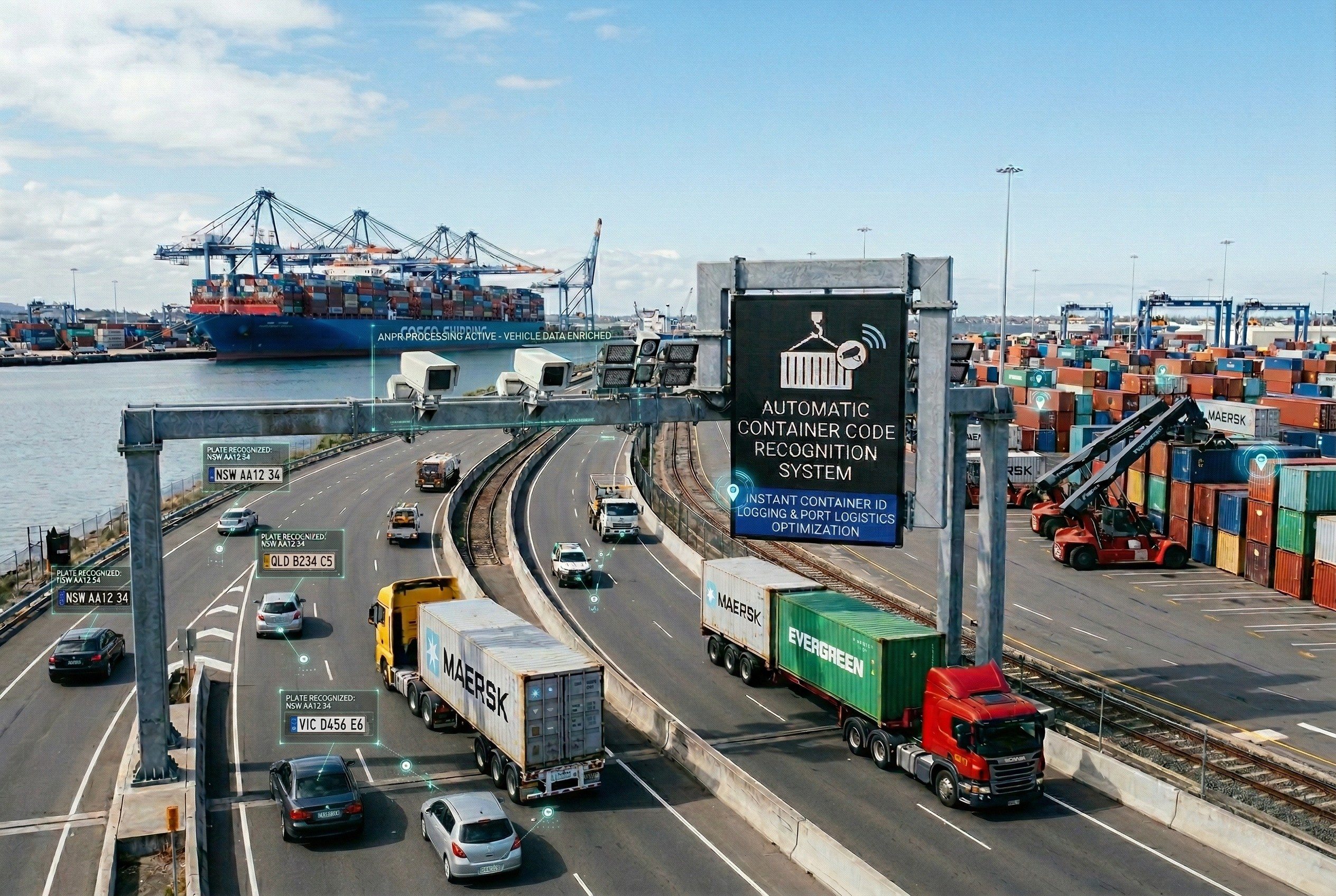

Port automation for smaller ports does not have to start with a large project. A lean first phase can focus on the gate, cargo records and paperwork, reuse existing systems and grow as results appear. This guide sets out where to start, how to limit risk and how to prepare staff.
Key takeaways
- Smaller ports can start where manual checks and paperwork cost the most time.
- Gate recognition and a shared cargo record are common first steps.
- Reuse existing systems and choose modular software that can grow.
- Short, practical training and a period of parallel running ease the change.
Why smaller ports can automate without a big-bang project
Automation is often described through the largest container terminals, which can make it look out of reach for a smaller port. In practice the first steps are modest. A smaller port can start with the points where paper and manual checks cost the most time and add more as results show.
The goal is to handle more cargo with the same quay and the same staff, by removing delays that come from lost information, not by adding equipment for its own sake.

Where to start: gate, cargo records and paperwork
Most smaller ports gain first from the gate and from cargo records. Automatic recognition of vehicles and containers at the gate replaces handwritten logs, and a shared cargo record means everyone sees the same information.
| Step | What it changes |
|---|---|
| Gate recognition | Vehicles and containers are identified and logged automatically |
| Digital cargo record | One shared record of each consignment instead of separate papers |
| Yard locations | Staff know where cargo is stored without searching |
| Simple reports | Managers see waiting times and volumes each day |
Our phased plan for terminals sets out a similar order of steps.
Using what you already have
Check which existing systems and equipment can be kept. Choose modular software that can be added to later, and agree interfaces with the systems you already use, such as billing or customs links. A hosted option may reduce the need for a server room, but confirm connectivity and who manages updates. Run the new process beside the old one for a short time so staff and customers can adapt.
Training staff and managing change
In a smaller port each person often covers several roles, so training must be practical and short. Explain what changes for each role and who to call when something does not work. Read port automation challenges and how to fix them for common pitfalls and gate, yard and quay in one workflow for the overall picture.
Planning port automation for a smaller port with Suraj Informatics
Suraj Informatics provides port automation systems that can be introduced in stages. Tell us about your port and we will help you choose a practical first phase.
Port automation for smaller ports: common questions
Is port automation only for large terminals?
No. Smaller ports can start with limited steps such as gate recognition and digital cargo records, then extend.
What should a smaller port automate first?
The areas where delay is greatest, often the gate, cargo records and paperwork.
Can existing systems be kept?
Often yes. Interfaces can link new modules to current billing, customs or terminal software. Check this during the survey.
How long does a first phase take?
It depends on the scope and site. A survey sets the plan and timeline.
Talk to our port automation team
Tell us about your port, your current systems and where delays occur, and we will suggest a first phase.





