




RFID asset tracking software turns tag reads into a record of where each asset is, who has it and how it has moved. Products differ widely, so a feature checklist helps you compare them on what matters to your site rather than on brand names. This guide lists the features to check and the questions to ask before you buy.
Key takeaways
- Check that the software supports the reader and tag types you plan to use.
- Mobile scanning, reporting and integration with your ERP are core features.
- Ask how the software handles the full asset life cycle, from purchase to disposal.
- Compare deployment, security and total cost, not only the licence price.
Reader and tag support
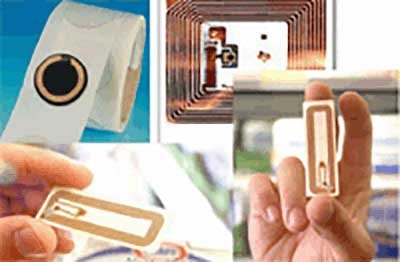
The software must work with your RFID hardware: fixed readers at gates, handheld readers, and the tag types you use, such as passive or active. Ask which readers are tested with the product and whether you can mix vendors later. Our comparison of five RFID asset tracking software options covers examples.
Core features for tracking assets
| Feature | Why it matters |
|---|---|
| Central asset database | One record for each asset through its life |
| Mobile scanning | Staff can audit and update assets on the floor |
| Check-in and check-out | Shows who holds each item |
| Location history | Shows where the asset has been |
| Alerts | Warns of missing, moved or overdue assets |
| Reports and audit trail | Supports audits and management reviews |
Integration with ERP and other systems
Asset data is more useful when it flows into finance, maintenance and warehouse systems. Ask whether the product offers APIs or ready connectors, and who does the integration work. See also long-range RFID for vehicle identification for a related use of RFID.
Deployment, security and total cost
Decide between cloud and on-premise deployment, and check data protection, user roles and backup. Compare the full cost: tags, readers, licences, setup, training and support. A cheaper licence can cost more once setup and hardware are added.
Questions to put to every supplier
- Which readers and tags are supported?
- How are assets audited on the floor?
- What does it connect to out of the box?
- Where is the data held and who can see it?
- What is the total cost over three years?
RFID asset tracking from Suraj Informatics
Suraj Informatics designs and integrates RFID and RTLS asset tracking for plants, ports and warehouses, with software linked to gate, yard and ERP systems on the GATIVRA platform.
RFID asset tracking software features: common questions
What is RFID asset tracking software?
It is software that stores and reports the data read from RFID tags on assets, showing where each asset is and how it has moved.
What features should it have?
A central asset database, mobile scanning, check-in and check-out, location history, alerts, reports and integration with your other systems.
Does it need special readers?
It needs readers that suit your tags and site. Check which readers the software supports before you buy.
Cloud or on-premise?
Cloud is easier to start and maintain, while on-premise gives more control over data. Choose based on your IT and security policy.
Talk to our RFID team
Tell us what you need to track and where, and we will suggest the right tags, readers and software.





