




Wireless network design is about planning, not just installing access points and hoping they work. Cloud applications, IoT devices and mobile staff all depend on reliable Wi-Fi, so the design must reflect how the site is used. This guide covers survey, access points, capacity and testing.
Key takeaways
- Design begins with a site survey, not with a shopping list of equipment.
- Access point choice and placement depend on walls, layout and device density.
- Plan capacity for the number of devices and the applications they run.
- Test coverage and security before the network goes live.
Why wireless network design starts with the site
Walls, metal racks, machinery and open floors all change how radio signals travel. A design based only on a floor plan can leave dead spots. Define what the network must support first, such as laptops, scanners, handheld devices and IoT sensors, and where each one is used.
Site survey: map coverage before you buy
A survey measures signal on site, finds interference and shows where access points are needed. Surveys can be done before installation to predict coverage, and after to confirm it. Our guide to wireless networking for IP cameras shows how a survey applies to a specific use.
Choosing and placing access points
Indoor offices, warehouses and outdoor yards need different access points and antennas. Mount them where users and devices are, not only where cabling is easy, and plan for roaming so devices move between access points without dropping connections. For frequency choices, read licensed versus unlicensed wireless bands.

Planning capacity for devices and applications
Coverage is not the same as capacity. Count the devices per area, note heavy applications such as video or cloud systems, and leave room for growth. Divide traffic into separate networks for staff, guests and devices.
Security and testing before go-live
Use strong encryption, separate guest access and manage who can join. Walk the site with a test device, check roaming and speeds, and record results. Secure wireless links also need monitoring, which our cyber security network services provide.
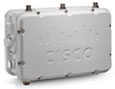
Wireless network design support from Suraj Informatics
Suraj Informatics provides wireless network design and network security and monitoring services. Contact us to plan coverage and capacity for your site.
Wireless network design: common questions
Why is a site survey needed?
It shows real signal strength and interference, so access points go where they are needed.
How many access points do I need?
It depends on layout, materials, device numbers and applications. A survey gives the answer for your site.
Is coverage the same as capacity?
No. Coverage is where signal reaches. Capacity is how many devices and how much traffic it can carry.
Should guests use the same network?
Use a separate guest network so visitors cannot reach business systems.
Talk to our wireless network team
Tell us about your site and what must connect, and we will suggest a wireless design.





