




A handheld computer fits in one hand and runs business software wherever the work happens. Not every business needs one, because a phone or laptop is enough for some jobs. This guide explains what a handheld computer does, where it pays off and what to check before you buy.
Key takeaways
- A handheld computer is a pocket-sized device for work away from a desk.
- It pays off where people scan, count or record data on the move.
- A phone or laptop may be enough for light, occasional use.
- Check durability, scanning, battery, wireless and software support before buying.
What a handheld computer does that a phone does not
Early handhelds were organisers for calendars and contacts. Today they are connected work tools with a built-in barcode scanner, a rugged body, a battery that lasts a shift and wireless links to your business software. Staff scan an item, see its record and update it at once. For the history, read the evolution of mobile computing.

Jobs where a handheld computer pays off
The device earns its place where staff handle many items or visit many places in a day.
- Receiving, picking and counting stock in a warehouse.
- Delivery checks and proof of delivery.
- Field service jobs and asset inspections.
- Shop-floor data entry and production checks.
When a phone or laptop is enough
If staff only read email, view a few records or scan occasionally, an ordinary phone may do. A laptop suits long typing and desk-style work. Consumer devices are less able to survive drops, dust and long shifts, and they may lack a scan engine and managed software. Compare options in rugged handhelds, tablets and vehicle PCs.
What to check before you buy a handheld computer
Match the device to the job by checking these points.
| Check | Why it matters |
|---|---|
| Build | Drops, dust, water and temperature in your work area |
| Scanner | Barcode types and reading distance you need |
| Battery | Enough for a full shift and easy charging |
| Wireless | Wi-Fi coverage and cellular where needed |
| Software | Support for your apps and device management |
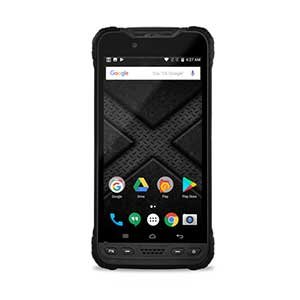
Choosing a handheld computer with Suraj Informatics
Suraj Informatics provides mobility solutions that include handheld computers, scanners, accessories and management software. Tell us about your work and we will suggest a device and a trial.
Handheld computers: common questions
Is a handheld computer the same as a PDA?
A PDA was an early type of handheld. Modern handheld computers add scanners, rugged bodies and managed software.
Can I use a smartphone instead?
For light use, yes. For scanning all day in tough conditions, a purpose-built handheld is usually a better fit.
Do handhelds need Wi-Fi?
Most use Wi-Fi or cellular, and some can work offline and sync later.
Can I try one first?
Many teams run a small trial with a few devices before buying more.
Talk to our mobility team
Tell us how your staff work and we will suggest the right handheld devices.





